

If you currently subscribe to this newsletter, the odds are good that you found me through an account of my systematic, year-long project to change my relationship with technology that I posted in January. I detailed how I audited the technology in my life and worked through strategies to disconnect from the worst offenders. By the end of the year, I felt that I had succeeded in all cases but one: my iPhone.
Except here it is months later and I still haven’t done anything about it. Stranger still, I don’t feel like I need to.
During my year of disconnection, I thought victory over my phone might look like replacing it with something else. So I was surprised to realize that through a series of tiny adaptations, I’ve mostly conquered the device without completely getting rid of it.
As a sequel to my previous piece, I now offer an account of how I dethroned my phone.
You have likely heard every piece of advice I’m about to give at some point or another, but my guess is that it worked only a little, or temporarily, or not at all. That’s because most of the digital wellness advice we encounter is scattered and fragmented. It’s not a process or a framework. Here, I’m going to provide that framework: the biggest changes to the smallest.
0. Set an intention
Before you do anything, think about what you don’t like about your relationship to your phone. Do you hate that it makes it hard to be present? That it wastes your time? That it distorts the way you see the world? That it makes you unhappy, angry, or sad?
Now imagine the opposite. Picture what it would look like not to have those problems. You’re present while out with friends. You’ve got more time for your hobbies. The world feels just a little more sane, a little more real, and you feel just a little more peace and calm.
Understanding our own motives makes it easier to make changes in our lives, and it makes those changes more likely to stick.
1. Consider an alternative device.
Phones are nearly interchangeable nowadays: big glass slabs with vivid screens. This design is optimized for content consumption of all kinds — games, movies, short-form video — and we have been denied any real choice in the matter. You can choose between powerful phones and even more powerful phones, or big phones and even bigger phones.
But there are alternatives. I’ll freely admit that they’re not for everyone, but if we’re talking about making a change, this is the most impactful one you can make.
Back in March, I did an overview of the alternatives.

By “the good phone”, I meant a phone that doesn’t abuse our attention. The main categories of alternative that I covered were:
Classic dumbphones, many of which now come with modern amenities (like ride share) without all the distractions
E-ink devices, which seek to break your addiction with non-vivid screens
New style dumbphones that rely on a locked-down, distraction-free OS to keep you away from anything the designer deems “bad”
Smartphones with small screens, which enjoy almost all the same functionality as a regular smartphone while being pretty bad for content consumption
Personally, I think the most sensible thing is to look for phones with small screens. Almost every other intervention has some drawback — e-ink’s refresh rate, the arbitrary design of “distraction-free” operating systems, or the extreme (to some) deprivation of going full flip phone. In a twist of irony, the BlackBerry seems to me to be the new form factor for the tech-conscious.
But frankly, I think most people will keep buying regular smartphones. Apple is going to continue to define what a phone is, and their latest move pushes things in the opposite direction — an iPhone that’s also an iPad.
Ultimately, I think it’s okay if you’re not willing to make this leap. I’m still using an iPhone for the moment and the techniques in the rest of this piece will describe how even a very smart phone can be tamed.
2. Delete accounts.
We talk a lot about how “addictive” different services are, how Candy Crush and TikTok are dialed to make their continued use feel really good. What we don’t talk about so much is that one of the biggest ways companies keep you on their platform is simply that you have an account.
Once you have an account for a platform or service, they begin to brick you in, Cask of Amontillado style. They save all of the content you post, give you imaginary points, connect you to your friends, and personalize your feed. They want you to feel invested, like there’s a part of you physically embedded into the app. That way, when you inevitably get sick of it, you only manage to put it down for a few hours or a few days. Go ahead, set a time limit, delete the app from your home screen. That’s fine with them, because as long as you have an account, you can always come back. In the words of The Eagles, “You can check out any time you like, but you can never leave.”
By “losing” all of those things — your posting history, your followers, your perfectly curated algorithm — you are actually cutting the tether and you’ll have a better shot of kicking the habit than you ever had before.
The audit spreadsheet from my tech disconection post (now also in Proton docs) works here too. List as many accounts as you can, then ask yourself: Does going on this platform go against the intention I set? If so, I encourage you to delete it. I promise you, in a few weeks you will barely remember that you had a Twitter / TikTok / Instagram / Reddit account.
3. Delete apps.
The paradox of the smartphone is that the more useful they are, the more we use them. And each one comes with some package of tracking, updates, and notifications to manage.
Instead, we want our phones to be like Swiss Army knives — handy multi-tools, but finite.
For this next step, scroll through the list of apps on your phone and delete as many as you can possibly bear. Lean toward deleting too many. Unlike deleting accounts, you can always just redownload an app. But this should make it even easier to part ways with them. Be a little ruthless.
(You may notice that you can use the audit spreadsheet for this too. This is part of why I never ended up directly addressing my phone. The general disconnection project went a long way toward disarming it.)
Presumably, there were some accounts you didn’t want to delete in the last step. The goal isn’t to get rid of all technology, after all. In that case, the question might be, “even though I have this service, do I need the app for it on my phone?” For instance, I still have one or two streaming services, but they don’t go on my phone.
3.5. Decentralize your tools.
Plenty of things we do on our phones are non-essential, so if we have the courage and determination, we can simply do without them. But what about for the more fundamental things that have gotten folded into our little everything devices? Our phones are how we take calls, send messages, listen to music and podcasts, watch movies, read books, play games, and take pictures. They’re even how we light up a dark room.
I suggest experimenting with offloading some of this functionality to other tools and devices. For instance:
Take pictures on a dedicated camera, film or digital
Listen to music on an mp3 player
Read physical books, or get an e-reader
Get a good pocket flashlight.
Wear a watch.
Carry a paper notebook.
One upside of this is that a dedicated tool is often better at the job than your phone is. My camera is a better camera, my music player is a better player, my watch is a better watch.
4. Set up a good content blocker.
One of the big problems with our phone “addiction” is that it’s really hard to cleanly separate the good things your phone does from the bad ones. The browser, for instance, is a key piece of OS infrastructure, but it also gives you access to the entire internet and all of the distractions that come with it.
This is where a good content blocker comes in. Notice that I said a good content blocker. I am not talking about Screen Time.
Most content blockers have two failure modes:
They’re too easy to bypass, or
They’re so rigid that you can’t use them consistently.
I use a service called Freedom, which is powerful and flexible. You can block any app or site, it works across most devices, allows you to set recurring schedules, and you can adjust how hard it is to undo a block. An annual subscription is about the price of a single DoorDash order. (Note: I am not affiliated with this product in any way.)
Now that you have a winnowed list of accounts and apps, think about when and how you actually want access to the remainder. For example, I never ever want to have access to YouTube on my phone. It’s just too easy to get sucked in by accident. But I leave it unblocked most of the time on my laptop.
You will be less tempted to permanently disable the content blocker if it’s closely tailored to the access you actually think you should have. Ideally, when you hit that wall, your reaction is like mine “Oops, thanks for saving me from myself.”
5. Arrange your interface.
Even aesthetics can have an impact on your usage. The way you arrange information on your phone changes how you perceive the device as a whole.
Turn off as many notifications as you can. Or at the very least, reduce the impact of the notifications. Turn off the sounds they make or keep them off your lock screen. Every time your phone makes a perceivable indication that something has happened, that’s an invitation to get sucked into the device. Save it for stuff that’s actually important.
Minimize your app layout. Sometimes I see someone’s phone and they have like, five pages of apps laid out in no particular fashion. Don’t do that! If it’s not an app that you have to use often (or want to use often), remove it from the home screen. Out of sight, out of mind.
Make your screen kinda boring. Maybe you’ve heard that you should set your display to grayscale in order to make your phone less enticing. If you’re anything like me, that works OK for a few hours, then you need to use an app where the color is important, so you turn grayscale off and then forget to turn it back on. Instead, I recommend just using a blank wallpaper and desaturating your apps. This reduces the baseline dopamine hit of looking at your phone but you will still be able to clearly read maps and see pictures when you need to.
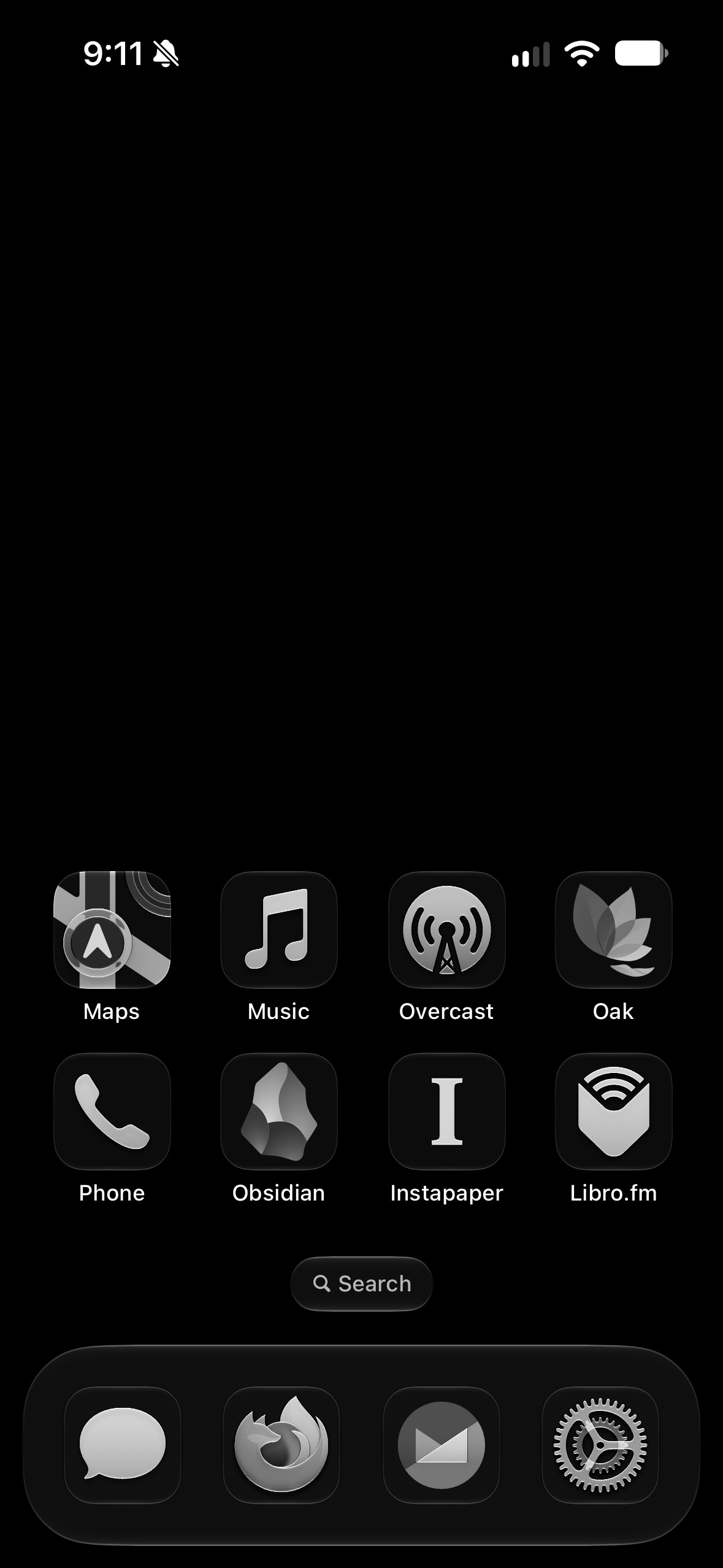
The result
I didn’t plan to go through this process. I simply did a thousand little experiments, and looking back, this is what worked. Now my phone is no longer a portal of infinite stimulation and possibility. I get texts, calls, and emails. I pay bills, I pay for parking, I order a belt, I take a note, I listen to a podcast.
You will make different choices than I did because different things will seem important or unimportant, but the end result should hopefully be the same: your phone should be useful but boring. It should be a piece of normal technology, like a hammer. No one gets addicted to hammers, after all.
Such good advice. Lately I've been realizing that if my phone isn't right next to me, it loses so much of its appeal. The number of times I reach for it and get sucked in because of momentary boredom is wild! When I put it in a corner of my kitchen, I can go entire evenings forgetting it even exists
As always, love your newsletters! I had no idea about how you could customize the home screen like that! Thank you!